Jobber App Marketplace

The most powerful map integration for Jobber.

Every job, quote, request and client on one live map. Synced from Jobber, so you never export or import data again.

Add to Jobber

30-day free trial · No credit card · Live in minutes
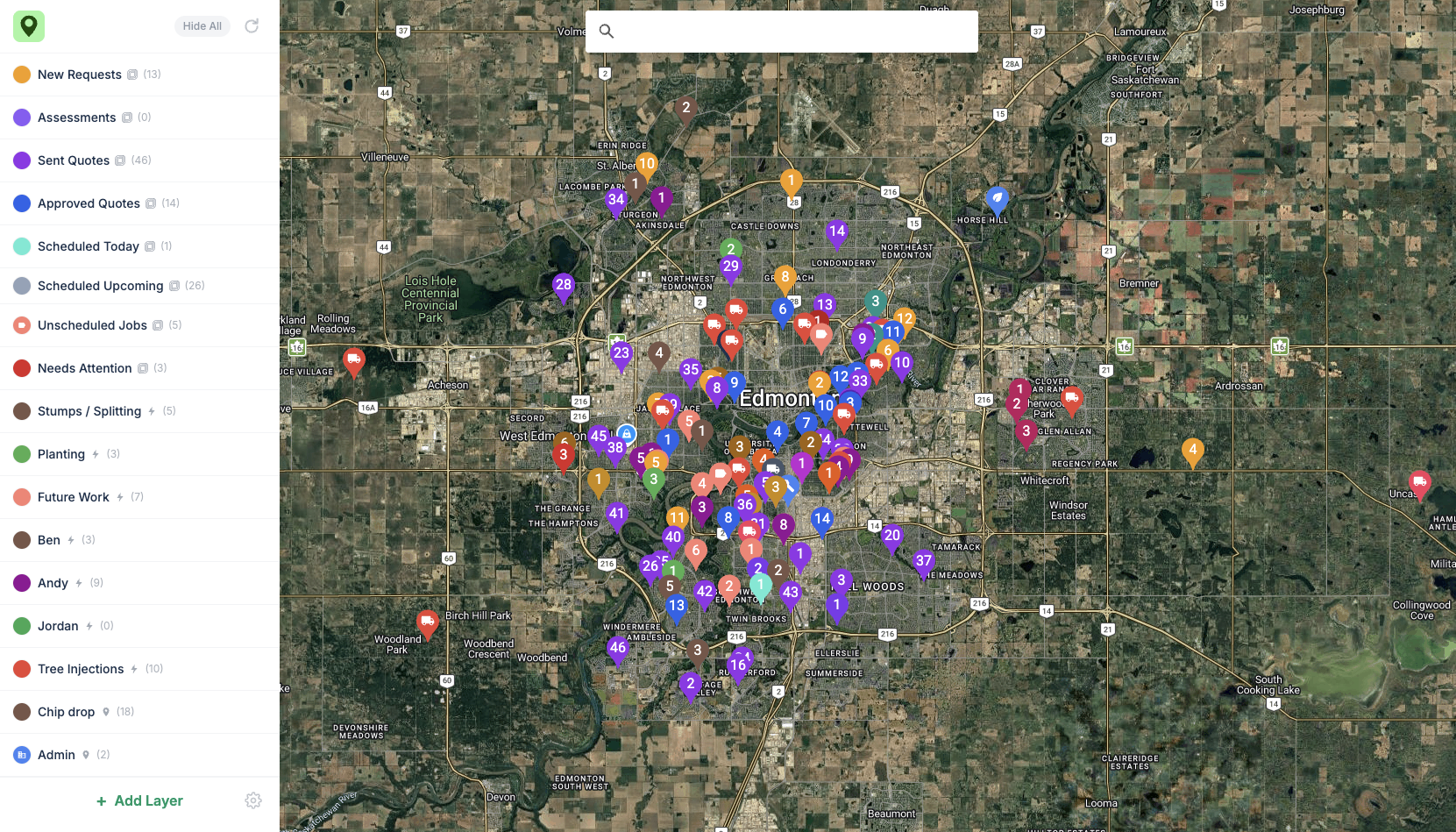
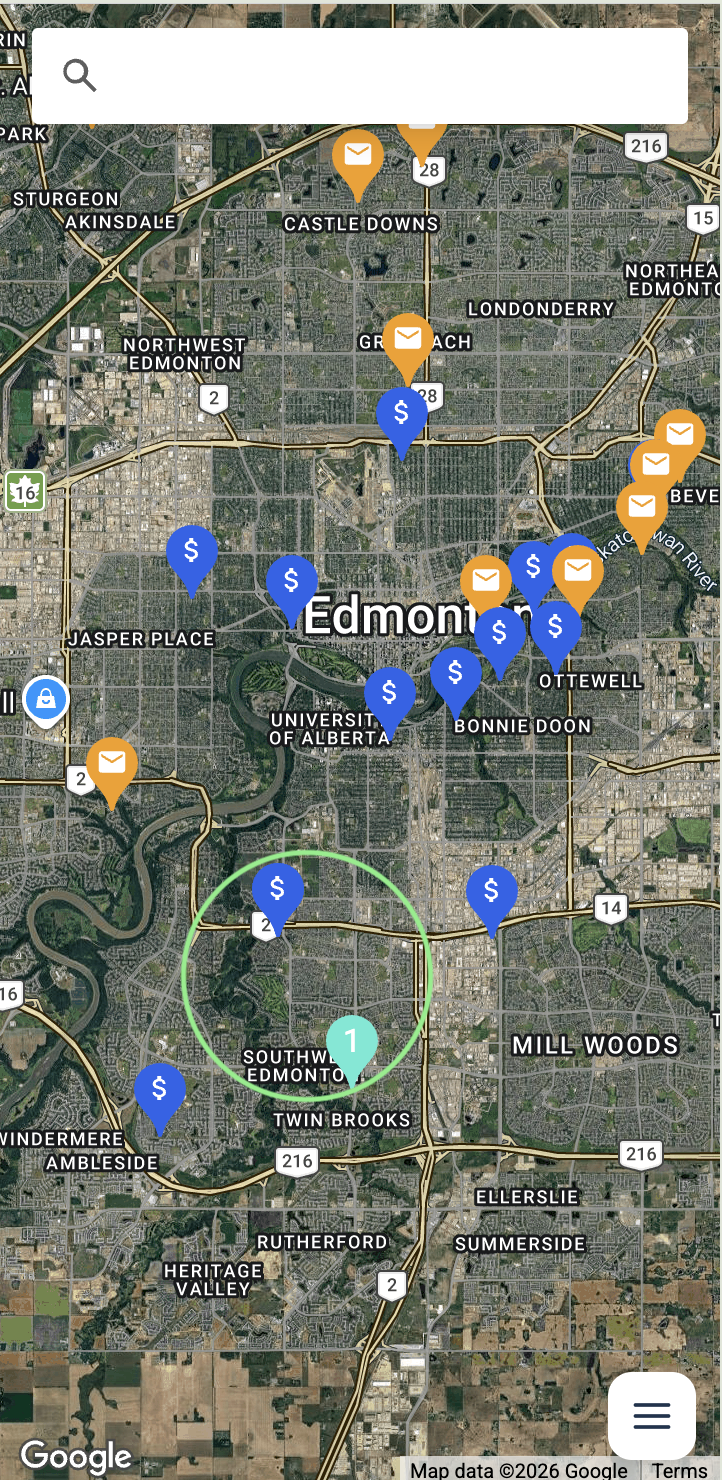
Power Maps showing every Jobber request, quote, job and client as pins on one map

Syncs live with Jobber

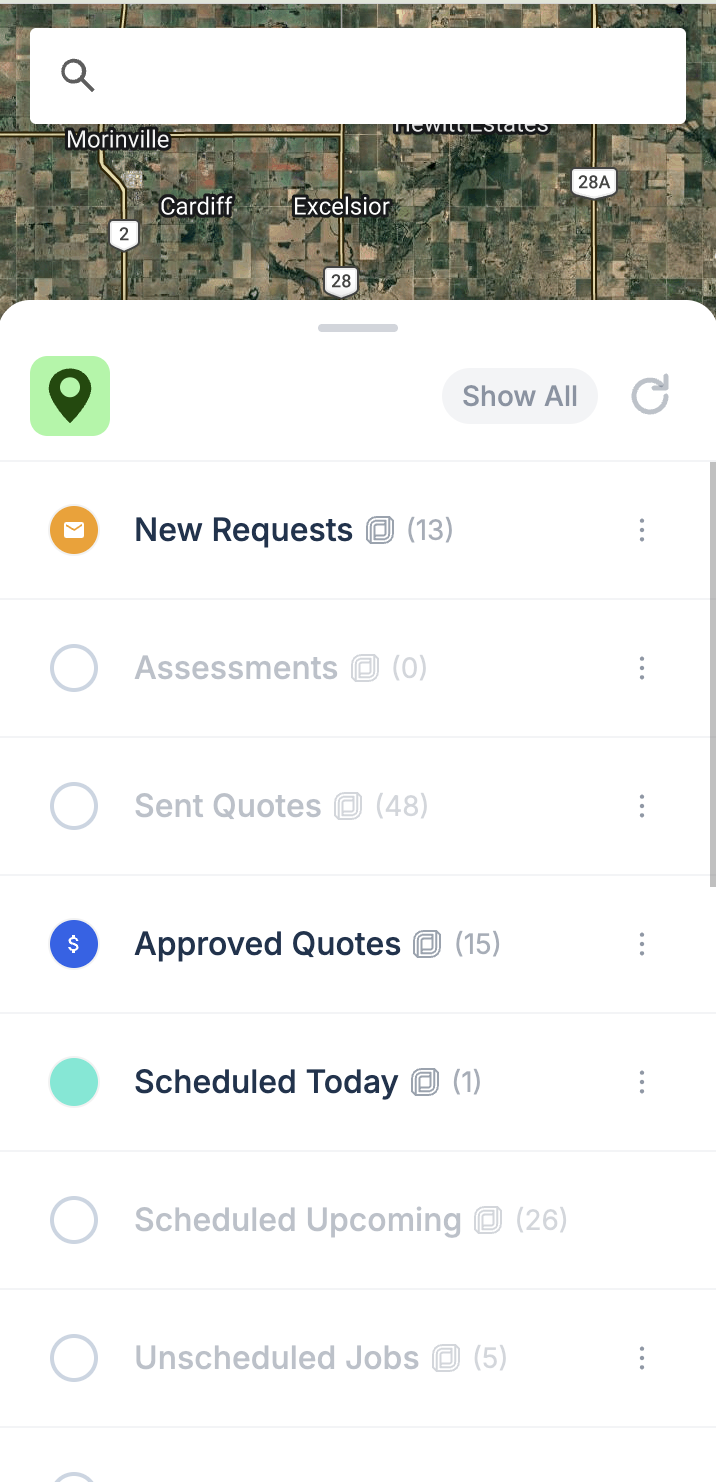
See all your current work, past work and clients on one map. Every change in Jobber shows up in seconds. Nothing to export, nothing to import.

Power Maps layer list showing Jobber requests, quotes, jobs and clients

See nearby work

See new requests, unwon sent quotes, approved quotes, and unscheduled work near the work you already have booked. Close more work and spend less of the day driving.

Nearby Jobber requests and quotes within a radius on the map

Build custom layers

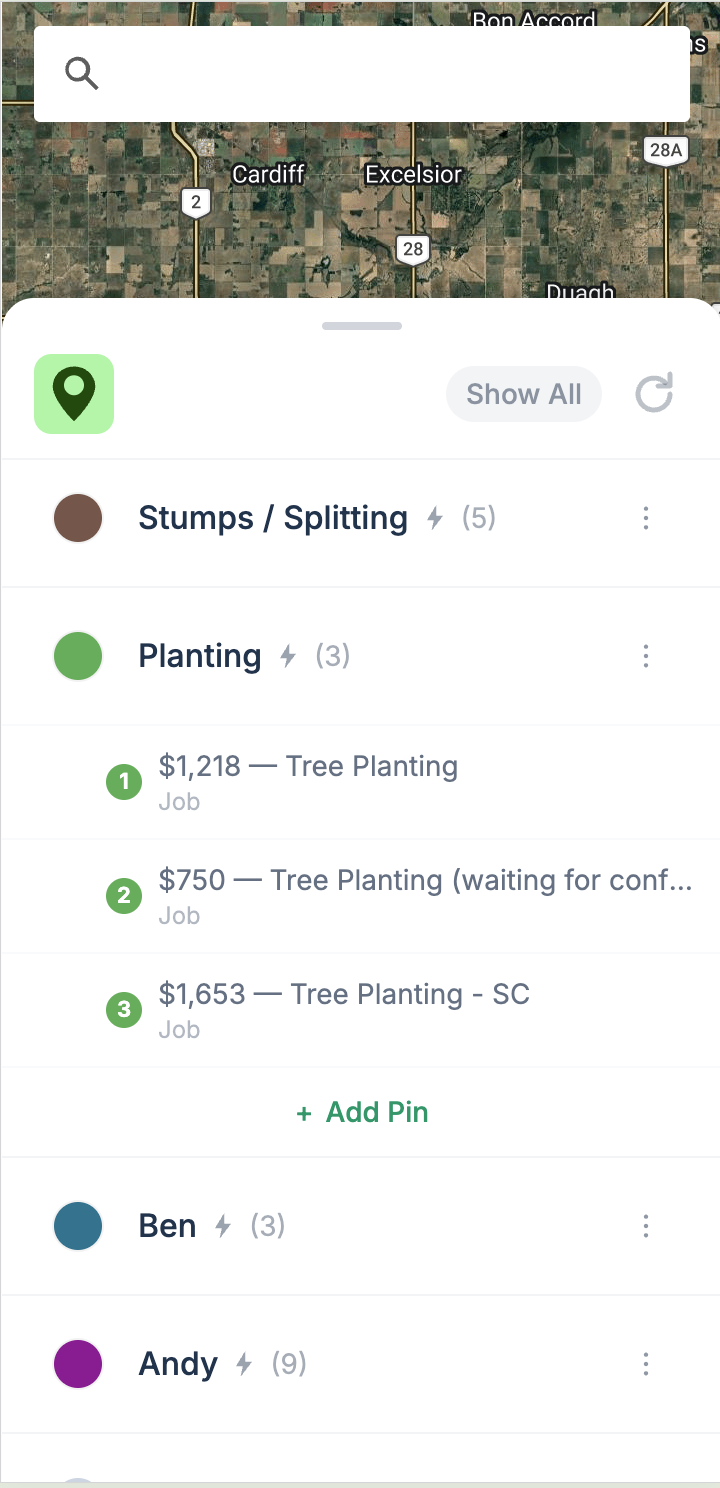
Build your own layers by job type, by employee, or by keyword. Give each one a colour and turn them on and off as you plan.

Custom layers in Power Maps grouped by job type and by employee, with the jobs listed under each

Add your custom pins

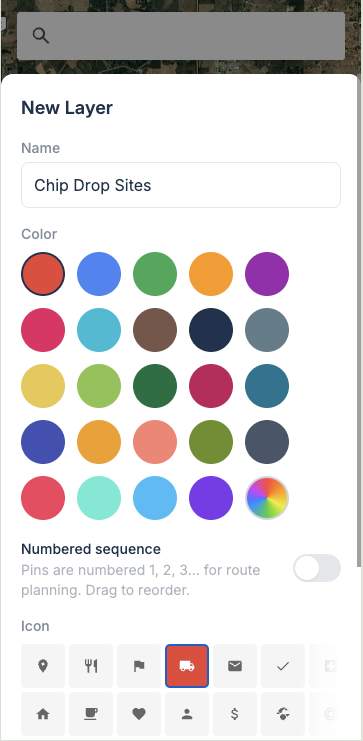
Chip drop sites, the dump, your shop, suppliers. Add any place you drive to as its own layer, pick a colour and icon, and the whole team sees it.

Creating a custom Chip Drop Sites layer in Power Maps with its own colour and truck icon

Save unlimited routes

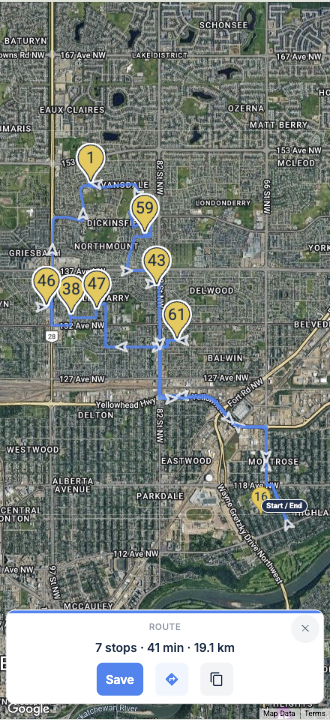
Pick your stops on the map and get turn by turn directions. Create and save unlimited routes, set your own start and end, and open any route in Google Maps.

A saved Power Maps route with seven numbered stops and turn by turn directions

How it compares

Jobber's built-in map shows the visits and assessments on your schedule. Many teams then export a client list to Google My Maps to see the rest, and redo it whenever the data changes. Power Maps puts the whole pipeline on one live map, with the tools to act on it.

Jobber map Google My Maps Power Maps
Data Live CSV export, redone by hand Syncs live with Jobber
Shows Scheduled visits and assessments Addresses Requests, quotes, jobs and clients, with status
Nearby work Unscheduled assessments and visits No New requests, unwon sent quotes, approved quotes, and unscheduled work
Custom pins and layers No Limited layers Unlimited
Routes No saved routes Built by hand each time Unlimited saved routes with turn by turn directions

Pricing

$49 / month

per team, unlimited users

Start your free trial

30 days free · No credit card · Cancel anytime

Questions

Is there a map integration for Jobber?+

Yes. Power Maps is the map integration for Jobber, sometimes searched for as a Jobber maps integration. Install it from the Jobber App Marketplace, authorize once, and every job, quote, request and client appears on one live map. No CSV exports and no data entry.

Does Jobber have a map view?+

Jobber shows your work as a schedule and a list. Power Maps adds the map view, plotting your Jobber requests, quotes, jobs and clients as pins so you can plan by neighborhood instead of scrolling.

Can I use Google My Maps with Jobber?+

You can export a client list from Jobber as a CSV and import it into Google My Maps, but the map goes stale as soon as your data changes and it only shows addresses. Power Maps connects to Jobber directly, stays current on its own, and shows the status of every request, quote and job.

How do I put my Jobber jobs on a map?+

Install Power Maps from the Jobber App Marketplace and authorize once. Your jobs, quotes, requests and clients are mapped within minutes and stay in sync, so new requests and job edits appear within seconds.

Can it help me reduce drive time between jobs?+

Yes. When your requests, quotes and jobs are pins on one map, you can see which work sits in the same area, group it into one trip, and save it as a route with turn by turn directions.

Will it change anything in my Jobber account?+

No. Power Maps reads your Jobber data to show it on a map. Your existing setup and workflow stay exactly as they are.

Does it work in the field?+

Yes. Power Maps runs on any phone or tablet your crews carry, so they can check what is nearby right from the truck.

Can I cancel anytime?+

Anytime. No contracts and no lock-in. Start with the 30-day free trial, no credit card required.

See your whole business on a map.

Install Power Maps from the Jobber App Marketplace. Free for 30 days.